
Uploading a video to YouTube is not just clicking the Upload button. If you want fast ranking, higher impressions, and consistent growth, you must upload videos the right way so YouTube’s algorithm understands, tests, and promotes your content.
This article explains exactly how to upload YouTube videos properly for speedy ranking in 2026.
🔍 Step 1: Start with the Right Video Topic (Before Upload)
Before uploading, ensure your video:
-
Solves one clear problem
-
Targets one main keyword
-
Matches search intent (how-to, review, explanation)
🎯 Tip:
Instead of a broad title like
❌ “YouTube Tips”
Use
✅ “How to Upload YouTube Videos for Fast Ranking”
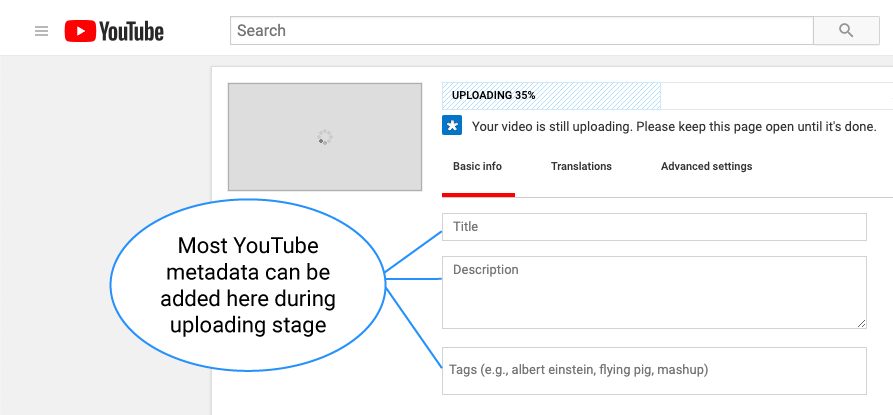
📝 Step 2: Optimize Your Video Title (MOST IMPORTANT)
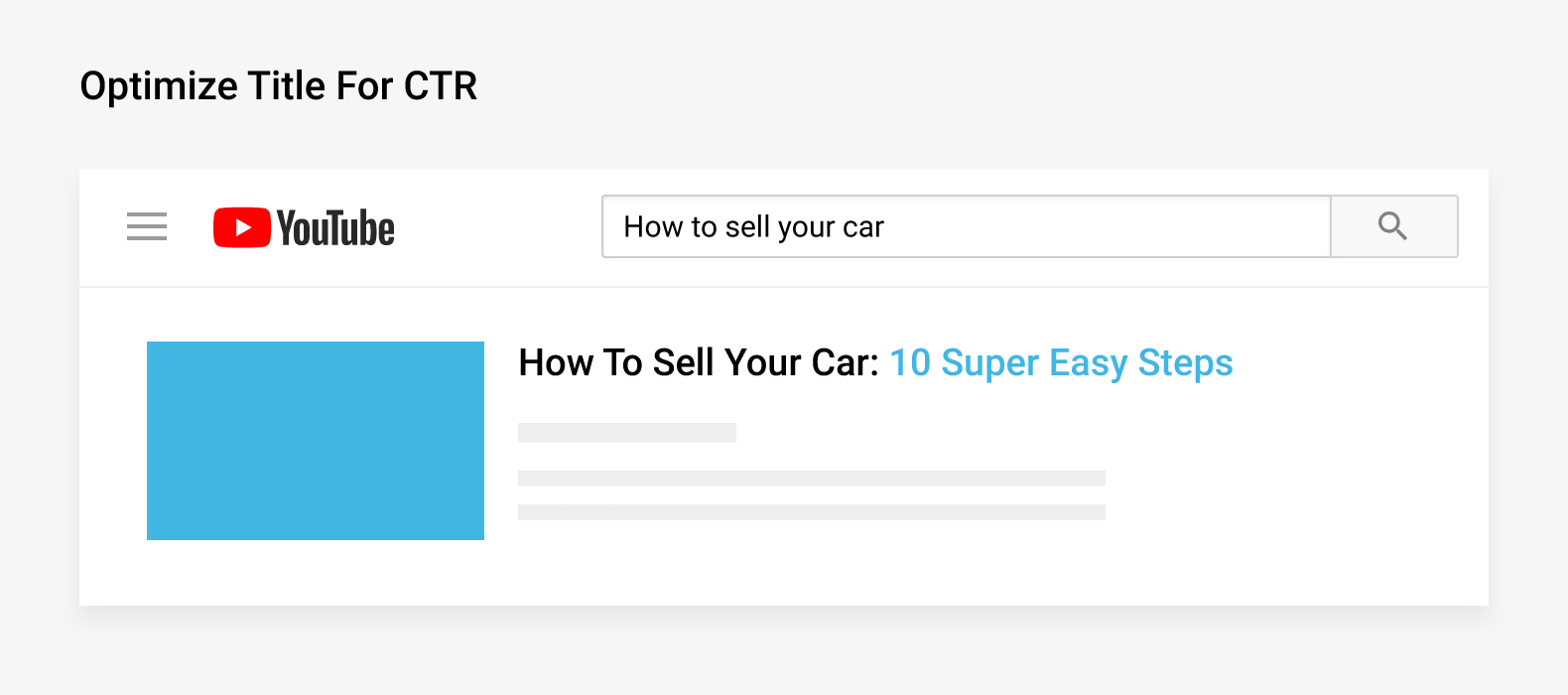

✅ Best Title Formula:
Main Keyword + Benefit + Curiosity
Example:
How to Properly Upload YouTube Videos for Fast Ranking (Step-by-Step)
Rules:
✔ Put your main keyword at the start
✔ Keep it under 60 characters
✔ Avoid clickbait (hurts retention)
📄 Step 3: Write a Powerful Description (SEO Booster)

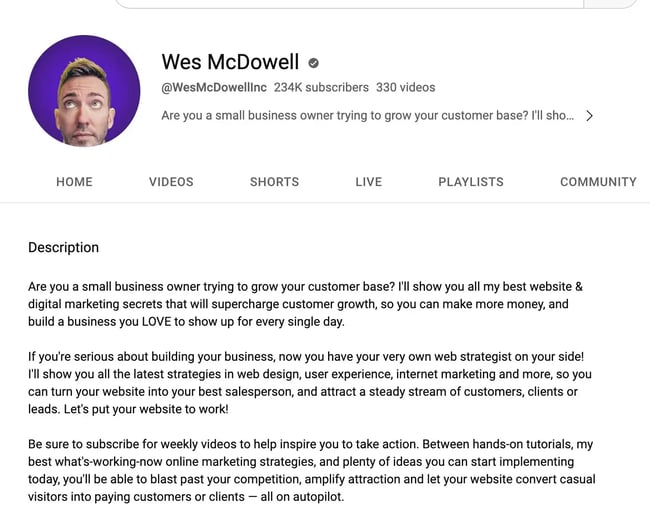
Structure of a High-Ranking Description:
🔹 First 2 Lines (CRITICAL)
Repeat your main keyword naturally:
In this video, I explain how to properly upload YouTube videos for fast ranking and channel growth.
🔹 Middle Section
-
Explain what the video covers
-
Add related keywords
-
Use natural language
🔹 Last Section
-
Add timestamps (chapters)
-
Add links (optional)
📌 Minimum 150–250 words recommended
🏷️ Step 4: Tags – Still Useful (But Not Magic)
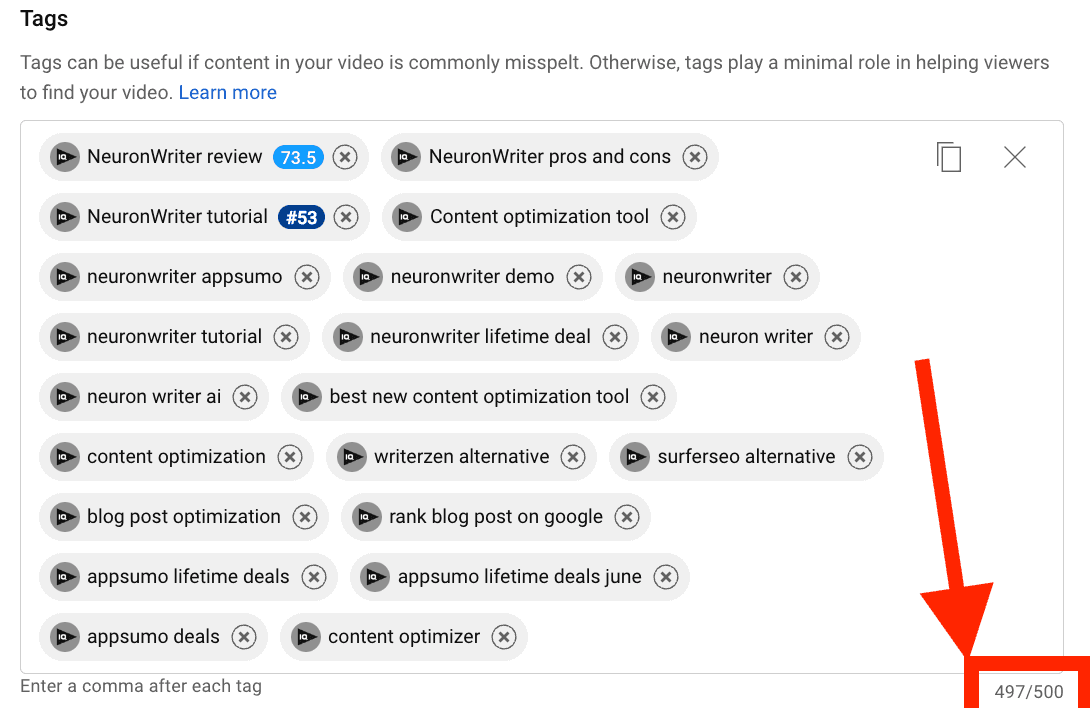

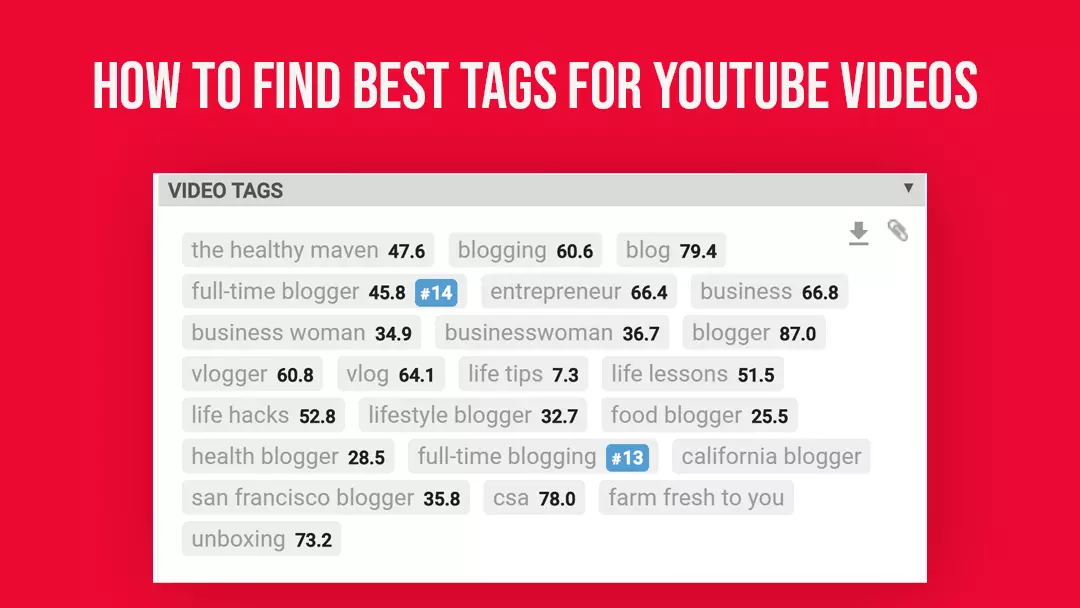
Use 3 Types of Tags:
-
Exact keyword
-
Keyword variations
-
Broad niche tags
Example:
-
how to upload youtube videos
-
youtube video upload seo
-
youtube ranking tips
-
grow youtube channel fast
⚠️ Tags help understanding, not ranking alone.
🖼️ Step 5: Design a High-CTR Thumbnail


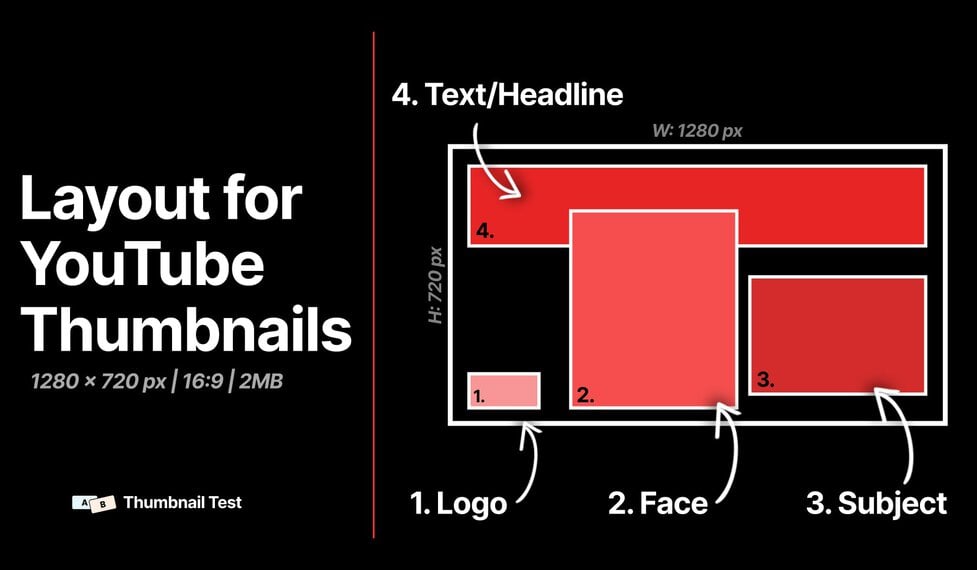
Thumbnail Rules:
✔ Big readable text (2–4 words)
✔ High contrast colors
✔ One clear emotion or promise
✔ Avoid clutter
🎯 Remember:
YouTube ranks videos that get more clicks (CTR).
⏱️ Step 6: Video Length & Retention Strategy
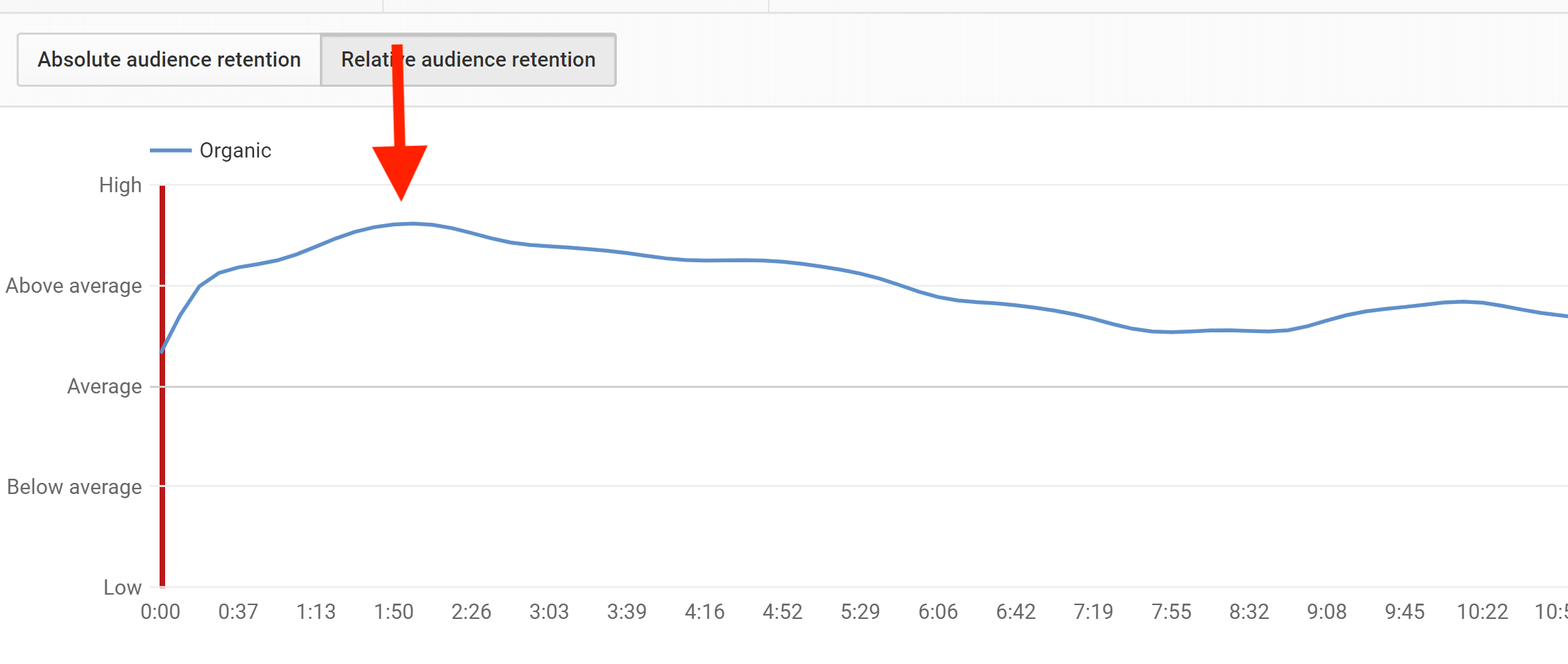
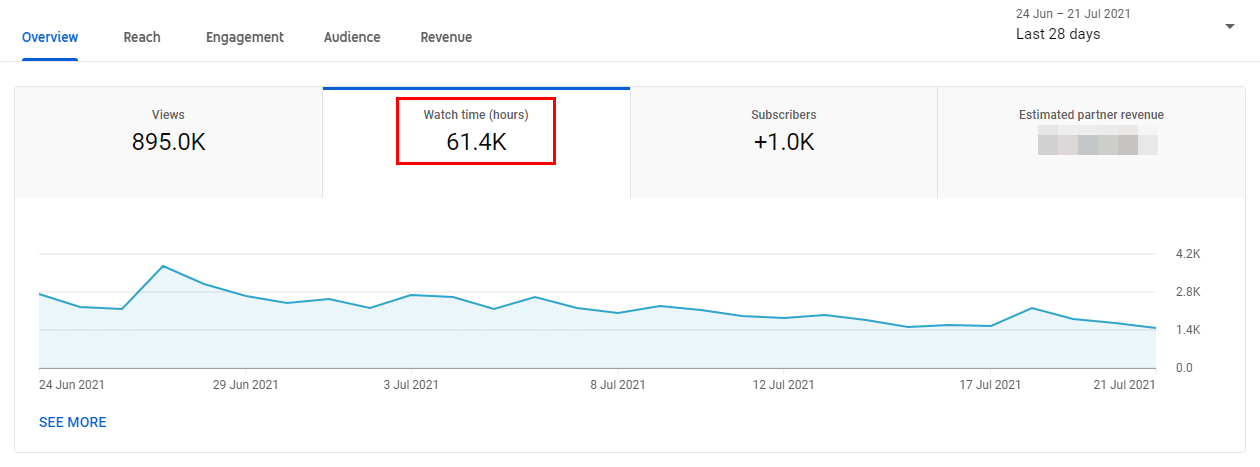

For Faster Ranking:
-
8–12 minutes works best for most niches
-
Hook viewers in first 5–10 seconds
-
Avoid long intros
-
Deliver value quickly
📌 Retention > Views
🗂️ Step 7: Add Chapters (Boosts SEO & UX)
Chapters help:
-
Watch time
-
Search visibility
-
User experience
Example:
🔔 Step 8: Upload Consistently (Algorithm Trust)
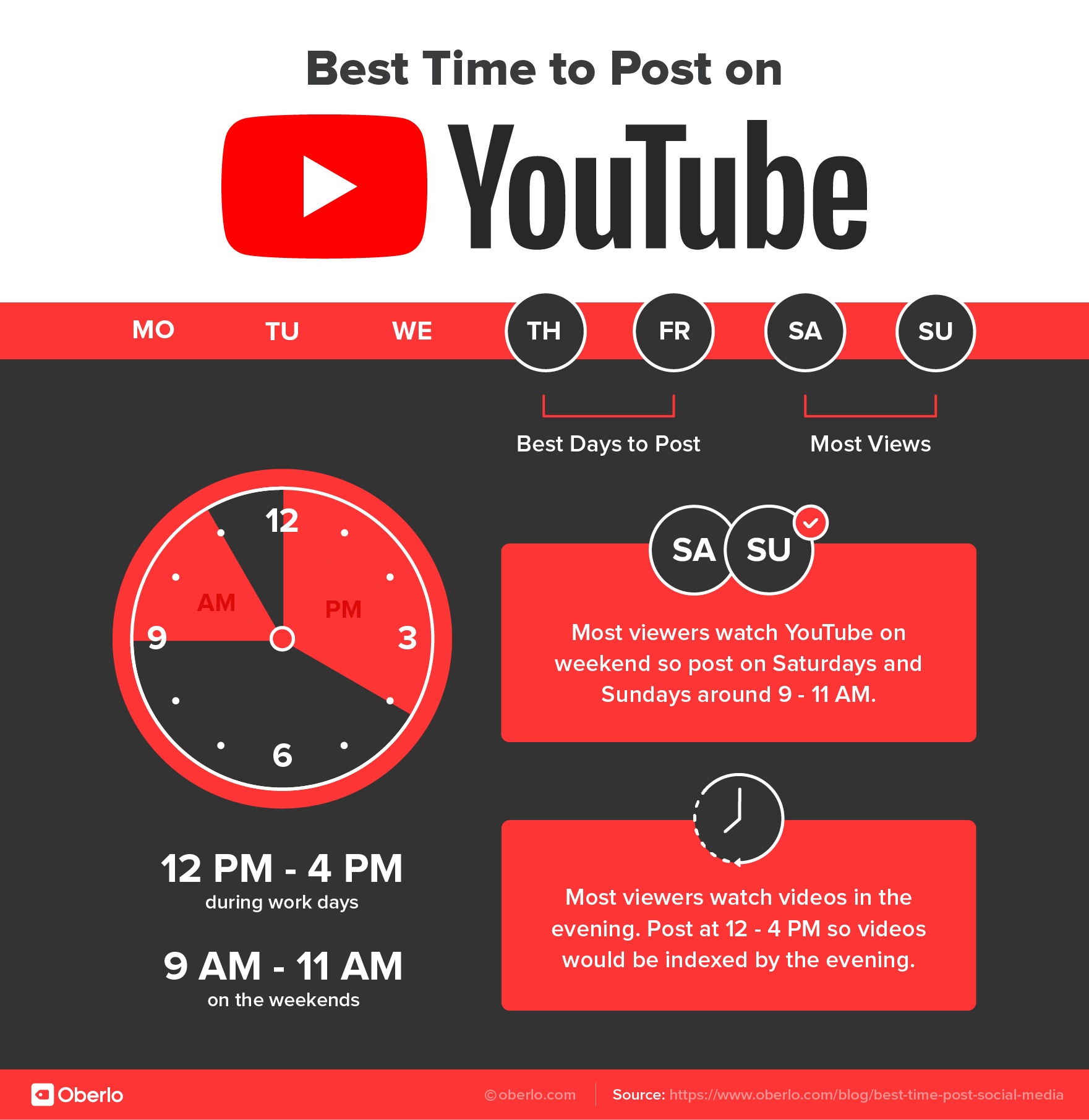


Best Upload Frequency:
-
2–3 videos per week (ideal)
-
Same day & time
-
Same niche & audience
Consistency builds algorithm confidence.
📊 Step 9: First 24 Hours Matter a LOT
After uploading:
✔ Share to community tab
✔ Pin a comment
✔ Reply to comments quickly
✔ Don’t edit title/description repeatedly
🚫 Avoid changing metadata in first 24–48 hours.
🧠 Step 10: Analyze & Improve (Growth Multiplier)
Use YouTube Analytics to check:
-
CTR (Thumbnail & Title)
-
Audience Retention
-
Average Watch Time
📈 Improve one metric at a time.